How to Download & Install

Step-by-step guide for Android & Windows

💻

Windows Installation

Download and install on your PC

1

Download the Installer

Click the download button below to download "BillBookAutoCalculate.exe" file.

⬇️ Download for Windows Download Installer
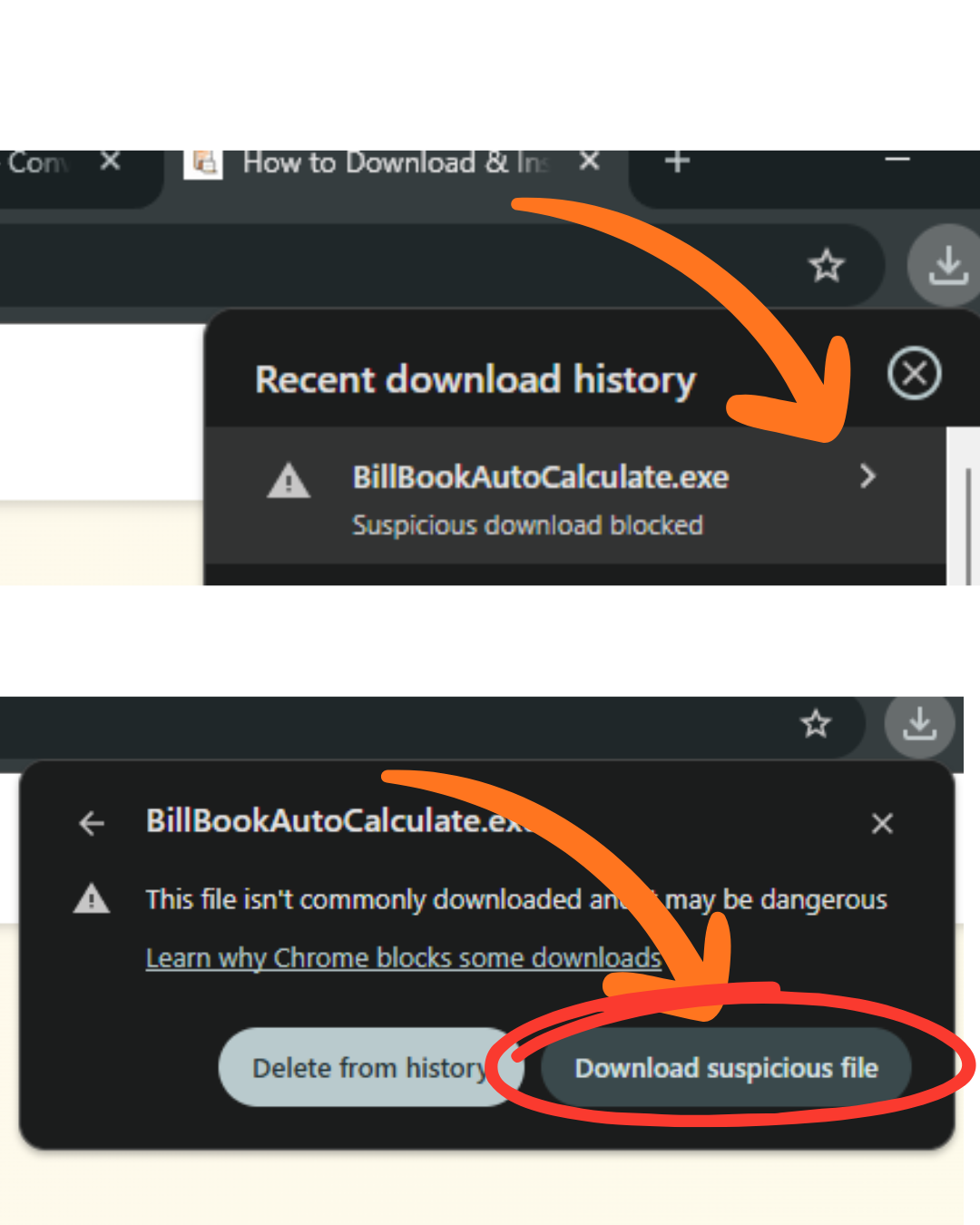
2

Locate the Downloaded File

The file will be saved in your Downloads folder. Look for "BillBookAutoCalculate.exe".
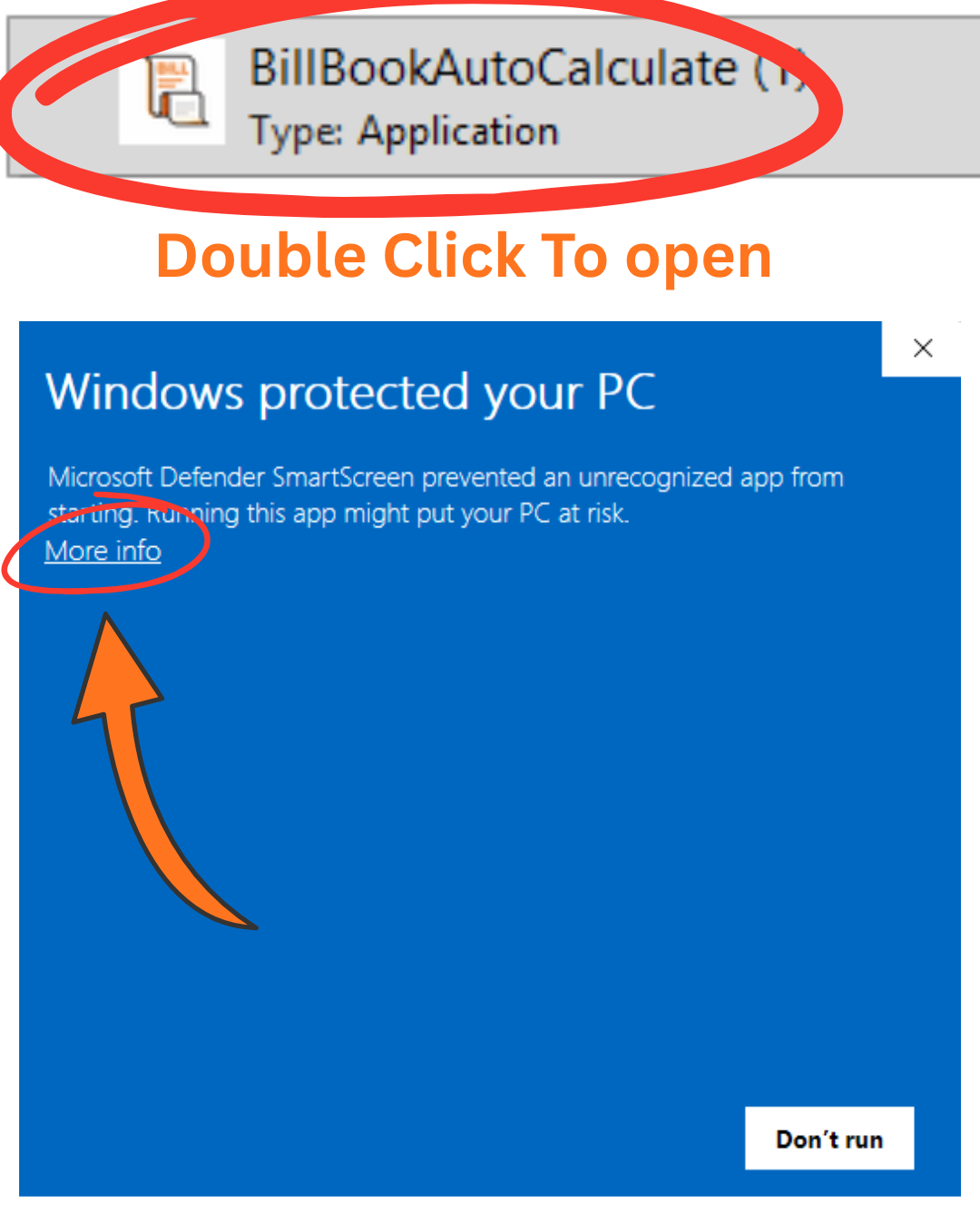
Locate downloaded file
3

Run the Installer

Double-click the downloaded file to start the installation.

⚠️ Windows SmartScreen Warning: Click "More info" and then "Run anyway".
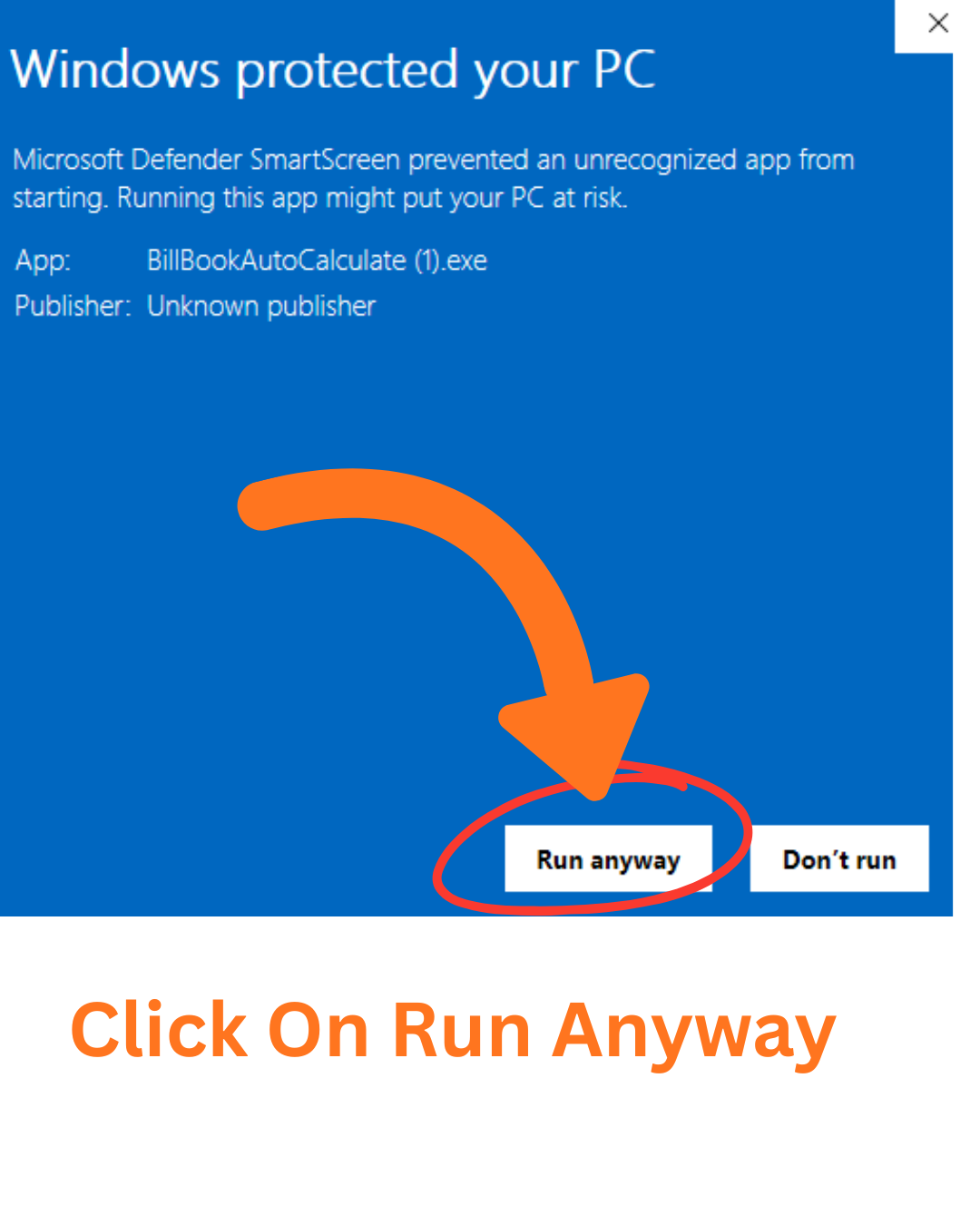
Run installer
4

Complete Installation

Follow the on-screen instructions to complete the installation process.

5

Launch the App

Once installed, find Bill Book Auto Calculate in your Start menu or desktop shortcut and start using it!

📱

Android Installation

Download from Google Play Store

1

Open Google Play Store

Launch the Google Play Store app on your Android device.

2

Search for the App

Search for "Bill Book Auto Calculate" in the search bar.

3

Install the App

Tap "Install" and wait for the download to complete.

4

Open & Start Using

Once installed, tap "Open" to launch the app and start creating bills!

Need Help?

If you encounter any issues during installation, please don't hesitate to reach out.

Common Issues & Solutions

Windows SmartScreen Warning

Click "More info" then "Run anyway". This warning appears for new applications.

Download Failed

Check your internet connection and try again. Clear your browser cache if the issue persists.

Installation Error

Make sure you have administrator privileges and sufficient disk space.